NewJoin us for our inaugural conference, Forge 2026
Fireworks Nexus

The right model for every task

Nexus orchestrates open and closed models inside your coding and co-work tools, reducing AI spend by 50% or more.

Open modelsOpus$0$3k$6k$9k$12kJul 06Jul 08Jul 10Jul 12Jul 14Jul 16Jul 18Jul 12Open models74%Opus26%Your toolsOpen modelsOpus$0$3k$6k$9k$12kJul 06Jul 08Jul 10Jul 12Jul 14Jul 16Jul 18Jul 12Open models74%Opus26%Your tools
57%Savings

Overall AI spend saved

100+Speed

Tokens/second on Fast

The path to frontier open intelligence for everyday work

Token bills are exploding. Teams relying only on closed models are forced to choose: spend and ship, or ration tokens and stall. Nexus offers a better way.

Zero-friction setup

with Nexus CLI
Fire connect animation

Zero-friction setup

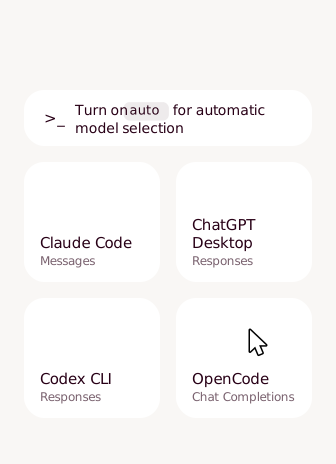
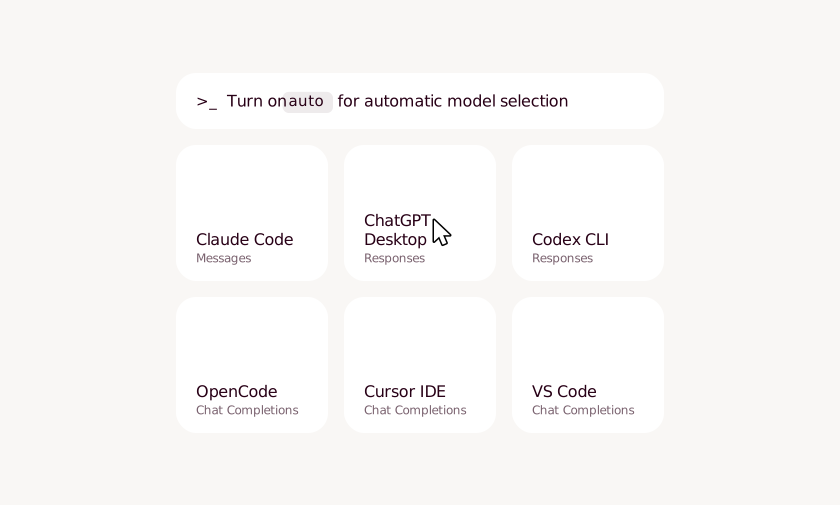
Developers set up in minutes with our CLI in the harnesses they use.
Fire Connect animation

One-command setup

One command with the Nexus CLI.

Works with your harness

Works with Claude Code, Codex, ChatGPT Desktop, Cursor, and more.

SSO authentication

Authenticate with your preferred SSO provider for Fireworks keys.

Fully reversible

Easy to turn off and on. No proxy. No configuration complications.

Intelligent orchestration

with Nexus auto
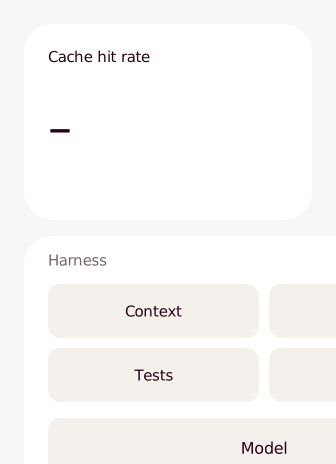
Fire Router Animation

Intelligent orchestration

Turn on Nexus auto to send each task to the most cost-efficient model that can do the job.

Fire Router Animation

Scored per turn

Each turn is scored and routed to the optimal model for the task.

Hard turns go closed

Difficult tasks pass through to your closed provider on your key.

Cache-aware savings

Nexus auto weighs cache hits in every decision. Cached input runs at half price.

Your preferences

Choose to auto-select between open and closed models or open only. Or, pin your model.

Maximum control

with Nexus settings
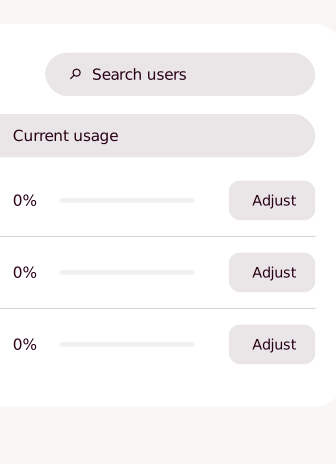
Fire Control Animation

Maximum control

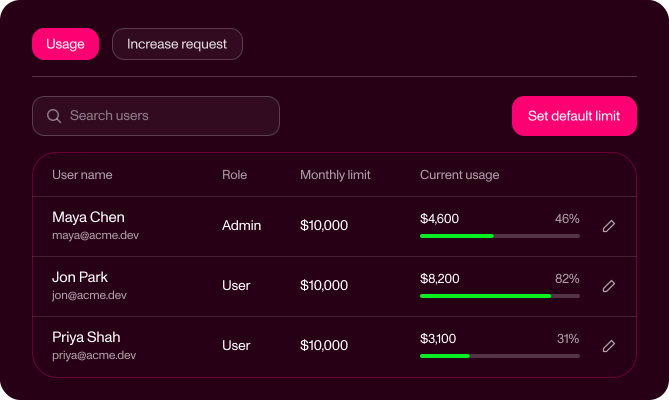
Set budgets in Nexus settings and see where every dollar went.
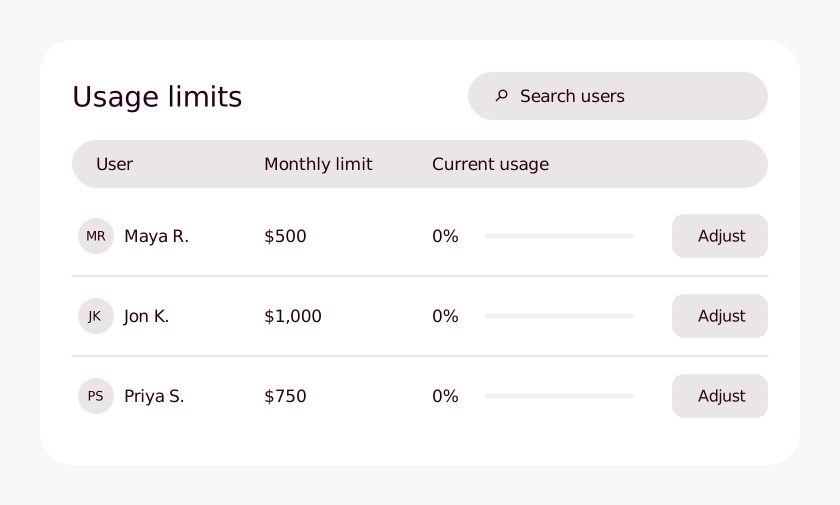
Fire Control Animation

Budgets at every level

Default limit for the account, group limits for teams, overrides per user.

Every dollar attributed

Track usage by model, user, and API key.

Savings dashboard

Track open-model savings against your closed-provider baseline.

Speed and reliability

Fast for 100+ tokens per second. Priority for reliability during peak traffic.
Take back control

Set limits once in Nexus settings, at the account, team or user level. Admins see every user’s spend and override. Team members see their own and can request headroom before they need it.

Nexus One Command Setup

More headroom from the same budget

Token limits interrupt coding and co-work, and long agent loops are hit hardest. Nexus keeps your team in its own tools and in flow, sending routine turns to open models so every dollar covers more work.

“Tokenmaxxing had a good run. But the teams that win with AI from here will be the ones getting more done for less, not the ones spending the most…After optimizing our harness for open weight models, we secretly swapped one of our most used internal agents from Opus 4.8 to GLM-5.2, and no one at the company noticed. We are now seeing cost savings of up to 72%.”

Max Brodeur-Urbas

CEO | Gumloop

Gumloop logo
  1. Install Nexus CLI

    Requires Node.js 18 or later, git, and bash. On Windows, run it from Git Bash; PowerShell breaks the script's line endings.

    bash
    $ curl -fsSL https://nexus.fireworks.ai/install.sh | bash
  2. Sign in to Fireworks

    Sign in with your browser, or paste a Fireworks key.

    bash
    $ nexus login
  3. Connect a harness

    bash
    $ nexus claude

One solution for code and co-work

Nexus brings orchestration, budgets and admin controls to ChatGPT Desktop on macOS, on the subscriptions your team already holds.

$ nexus auto --providers fireworks
$ nexus chatgpt
Proven on real work

Frontier open models can now tackle 80%+ of engineering tasks

In a Faros AI study across 211 tasks and 12 production repositories, GLM-5.2 beat Opus 4.8 on quality (0.568 vs. 0.521), speed (2.4X faster), and cost (48% lower). In Fireworks’ agentic benchmark suite, K3 tied Fable on SWE (92.4% vs. 92.6%) and won more terminal tasks (11-7).

Governance, built in

Finance gets limits that hold and spend it can allocate. Security gets one sanctioned path to frontier models across code and co-work.

Set the ceiling

Set an account default, then add team limits and per-user overrides. When a user reaches their limit, requests to Fireworks models pause until an admin raises it or the billing period resets.

Full spend attribution

Query spend by model, user, and API key, or export a raw per-event CSV. Track savings against your closed-provider baseline.

Identity-managed access

On Enterprise, SSO is enforced by domain, and accounts are provisioned at first sign-in. SCIM sync with Okta, Microsoft Entra ID, or Google Workspace keeps access in step with your directory.

Empower the team

Teams get fast, governed access to frontier open models to experiment and optimize. Individuals can check models, pricing, and their own spend.

Open models, frontier-grade

The latest Kimi K3, GLM, DeepSeek, and more models rival the closed frontier on most work. Fireworks runs them fast, securely, and at scale.

Industry-leading open inference engine

Fully disaggregated engine with custom kernels, memory management, and adaptive caching

Speed and quality that hold up in production

Trillions of tokens served daily on a global scale

Proven capacity at scale

Zero data retention, US-hosted options, SOC 2 Type II, ISO 27001, ISO 27701, ISO 42001, HIPAA

Clears security and governance requirements

Commercial agreements with leading open model labs

Day-zero access to new models, already optimized

Orchestration native to the inference layer

Intelligent cost/task scoring and orchestration

Avoids the cost of naive escalation

95%+ cache hit rate on traffic

Cached input runs at half price

Nexus auto factors cache hits in every decision

Lower cost per task

Flexibility with your existing stack

Documented LiteLLM Proxy integration

Keep your gateway with no migration

Gateway keeps policy, fan-out, and fallbacks

Existing controls stay in place

Nexus auto weighs cost and task difficulty for optimal performance

Better decisions without re-architecting

Frequently asked questions

Which coding tools does Nexus work with?

Nexus is available in Claude Code, Codex CLI, OpenCode, Pi, the DeepSeek harness, ChatGPT Desktop on macOS, Cursor, VS Code, GitHub Copilot, the Claude Agent SDK, and Claude Desktop. Model options and experience vary by tool. Please check our documentation for the latest.

Does my team have to change how they work?

No. Everyone keeps their tools and their flow. The key change is which model answers.

How does Nexus auto decide which model handles each turn?

Nexus auto scores each new turn for difficulty. Routine work goes to a Fireworks open model, and harder turns pass through to your closed provider on your own key. It also weighs cache hits, since cached input runs at half price. To use open models only, run nexus auto --providers fireworks. You can also pin a specific model.

What happens to my closed provider key?

Pass-through requests run on your own provider key. It’s forwarded per request and never stored. In some harnesses, including Cursor and Copilot, Claude and GPT turns require Provider Keys. Check our documentation for the latest requirements and feature support.

Is Nexus enterprise-ready?

Yes. Fireworks offers zero data retention, US-hosted options, SOC 2 Type II, ISO 27001, ISO 27701, and ISO 42001 certifications, plus HIPAA compliance. It also supports SSO enforcement, JIT provisioning, and SCIM directory sync for enterprise accounts.

Can I keep my existing AI gateway?

Yes. Nexus has a documented LiteLLM Proxy integration. Your gateway handles policy, fan-out, and fallbacks, while Nexus auto makes the cost-versus-quality call.

Can I turn it off?

Yes. Setup is fully reversible, and there’s no proxy to remove.

How are savings calculated?

The savings dashboard compares your eligible usage at public list prices with what the same tokens would have cost on a closed provider model baseline. The figures are estimates, not invoice amounts.

Which models does Nexus use?

For open models, Nexus uses the latest open models, e.g. Kimi, GLM, and DeepSeek. You can review the model lineup in the Nexus CLI and documentation. For closed models, it uses Anthropic and OpenAI models through your own provider account. Fireworks evaluates new open models as they’re released and updates the selection and Nexus auto.

What happens when a model is deprecated?

With Nexus auto, nothing changes on your side. Fireworks updates the models behind it after evaluating them, so your setup stays the same. For serverless models, users are notified at least two weeks’ notice before they are deprecated.

Is Nexus an LLM router?

Nexus is intelligent orchestration for the multi-model organization. It does more than route. The Nexus CLI connects your tools, Nexus auto picks a model for each new user turn with cache awareness, and Nexus settings enforces spend limits.

What happens to my data on closed-model turns?

On open models, Fireworks doesn’t log or store prompt or generation data unless you opt in. Closed-model turns run on your own provider account, under your existing agreement with that provider.

Do my MCP servers and tools still work?

Your MCP servers keep working after you connect a harness to Fireworks. Nexus changes where model requests go, not which tools the harness loads. The user experience from there depends on your harness. Please visit our documentation for more detail about what to expect.

Interested in learning more?

Try Nexus today or schedule a call with a forward-deployed engineer to discuss your team needs and get a demo.
